Embed live game prices on your site
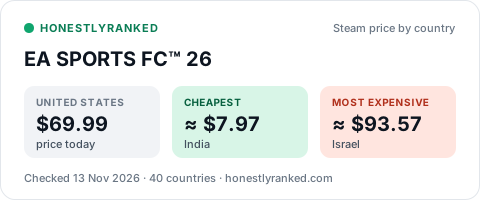
Every game we track has a small price card you can place on a blog, a wiki, a forum post or a project page. It shows the US price, the cheapest country and the most expensive country, and it updates itself every day.
How to add one
1. Open the page of the game you want: Steam, PlayStation, Xbox or Nintendo.
2. Near the bottom, open "Put this price card on your site".
3. Copy the HTML line for a website, or the Markdown line for GitHub, wikis and forums, and paste it where you want the card.
Need the numbers instead?
The full daily files are free on the data page, and monthly summaries are in Reports.
Questions
Does the card update by itself?
Yes. We redraw every card once a day from that day's store readings. The address of the picture never changes, so a card you placed once keeps showing the latest prices.
Is it free?
Yes, for any site, including commercial ones. Keep the link back to the game's page on HonestlyRanked; that link is the credit.
Will it slow my page down or track my visitors?
No. A card is one small picture file of a few kilobytes. It contains no script and sets no cookies.
Which games have a card?
Every game we track: 706 on Steam, plus the PlayStation, Xbox and Nintendo games. Open a game's page and look for "Put this price card on your site".